Settings
Open Settings at the bottom of the sidebar. Changes apply at once. Collapse menu below it folds the sidebar to icons.
Appearance
| Setting | Options |
|---|---|
| Theme | System (Detour Dark or Light, as your system is), or any theme. See Themes |
| Language | System, English, Русский. System picks Russian if it's among your system languages, English otherwise |
Terminal
| Setting | Options |
|---|---|
| Theme | Same as the app (default), or a theme of its own |
| Font size | Terminal text size |
| Scrollback | How many lines a terminal keeps: 1,000 to 50,000 |
| Copy and paste | Right click, Ctrl+C and Ctrl+V (like your system terminal) or Ctrl+Shift+C and Ctrl+Shift+V (like Termius). See Terminal |
| Highlight output | On by default: colours the prompt, addresses, paths, sizes and status words in output that has no colours of its own. See Highlighted output |
Files
| Setting | Options |
|---|---|
| Edit files in | Default app (the one your system uses for each file), or an editor. See Files |
Themes
A theme is one palette: the terminal's colours, from which the app's own colours are made. So any theme suits both the app and the terminal, and a terminal set to Same as the app always matches it.
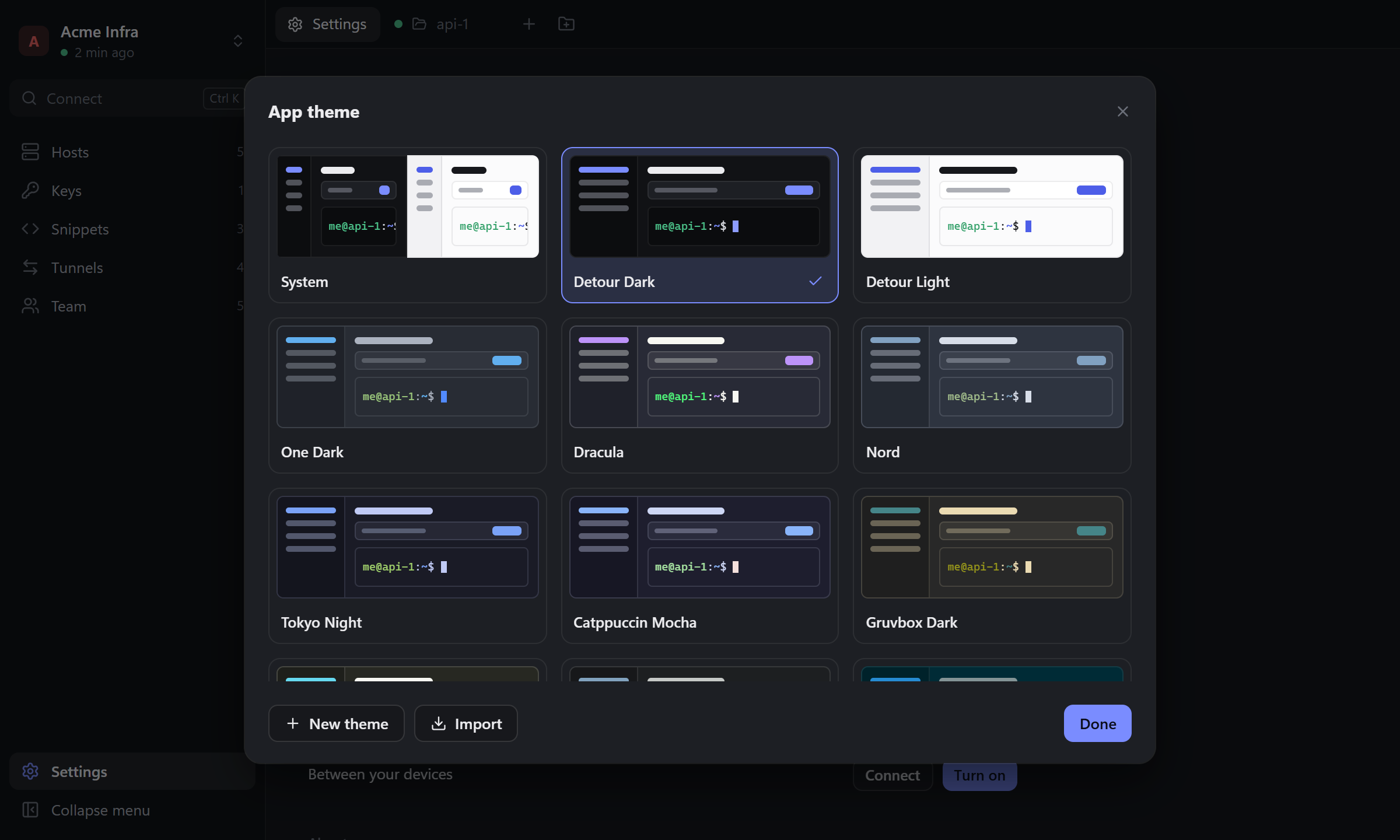
Click Theme to see them all; a click applies one at once, open terminals included. There are 14 built in: Detour Dark and Light, One Dark, Dracula, Nord, Tokyo Night, Catppuccin Mocha, Gruvbox Dark, Monokai, Tomorrow Night, Solarized Dark and Light, One Light, GitHub Light.
- New theme, or Edit a copy on any theme, opens the editor: name, background, text, cursor, selection and the 16 terminal colours (each in a normal and a bright shade), with a preview of the app and a terminal. Save adds it to Your themes.
- Copy code puts a theme on the clipboard as one line, like
detour-theme:1:Night%20Shift:1f2430.d8dee9…. Send it to anyone. - Import takes such a code (it may be inside a longer message) or a Windows Terminal colour scheme in JSON.
- Your themes can be changed and deleted; a deletion can be undone from the message that follows.
Sync
Sync of your personal vault between your devices. See Sync between your devices.
Security
| Setting | What it does |
|---|---|
| Master password → Change | Asks for the current password and a new one |
| Lock when idle | 5 minutes, 15 minutes (default), 1 hour, or Never |
| Lock now | Locks right away |
Command line
macOS only: Install puts the detour command on your PATH (a link in /usr/local/bin; macOS asks for your password). The installers on Windows and Linux do it themselves. See Command line.
AI agents
Every agent you gave access to: its hosts, what it may do, until when, and when it last used it. Revoke takes the access away and closes its sessions. See AI agents.
Detour in AI clients
The AI clients on this computer (Claude Code, Claude Desktop, Codex, Cursor, VS Code, Windsurf, Gemini CLI). Add adds Detour to a client's MCP servers, Remove takes it out; restart the client afterwards. Update shows when a client has Detour from another place, after you moved or reinstalled it.
About
| Item | What it shows |
|---|---|
| Version | The app version and your system |
| License | AGPL-3.0 and the source repository |
| Updates | Check looks for a new version; Install downloads it and restarts Detour |
| Check at startup | Looks for a new version a few seconds after you unlock |
Appearance, terminal and file settings, your themes and whether the sidebar is folded belong to this device and don't sync. To take a theme to another device, copy its code.